
How to Choose the Right CMS Platform in 2026 (Even If You’re Not Technical)
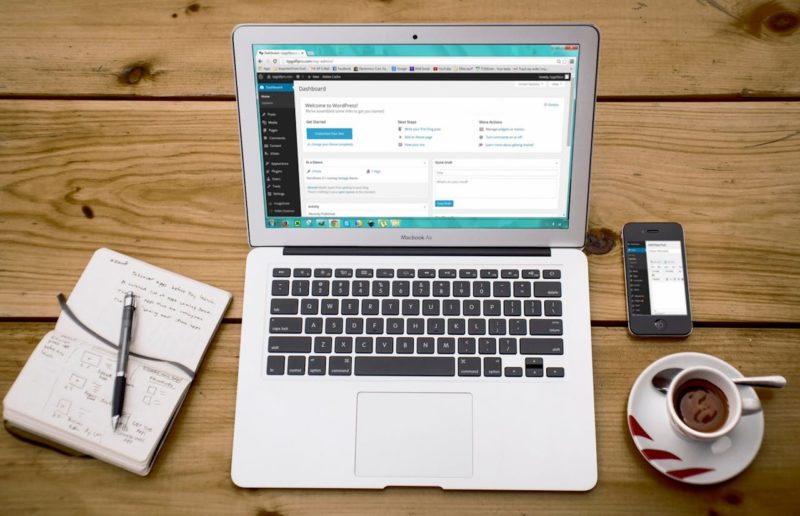
If you’ve ever tried to redesign your website and felt like you were trapped in a maze of jargon—headless, SaaS, open-source, DXP—you’re not alone.
For most businesses, choosing a CMS happens once every few years, but the consequences last much longer. The right platform quietly powers your content, lead generation, SEO, and digital experience. The wrong one becomes a bottleneck: slow pages, clunky editing, constant developer tickets, and a site that never quite does what you need.
This guide will walk you through choosing the right CMS platform step by step—without assuming you’re a developer. We’ll look at real-world scenarios, compare the major players, and give you a practical decision process you can use with your team.
What a CMS Actually Does (and Why It Matters So Much)
A content management system (CMS) is the software that sits behind your website and:
- Stores your content (pages, blog posts, product descriptions, images, etc.)
- Lets you add, edit, and publish content—ideally without touching code
- Controls how content appears on your site (and sometimes in your app, emails, or other channels)
Think of it like the operating system for your online presence. If that system is slow, rigid, or fragile, everything built on top of it suffers:
- Marketing slows down because every landing page needs a developer.
- SEO underperforms because you can’t easily optimize URLs, metadata, or internal links.
- Developers get frustrated maintaining outdated plugins or fighting a rigid platform.
- Costs quietly pile up through add-ons, workarounds, and custom hacks.
So this is not just a “which tool is trendy this year” decision. It’s a strategic choice that shapes how easy—or painful—your digital growth will be.
Step 1: Get Clear on What You’re Actually Building
Before comparing platforms, get brutally honest about your website’s job.
Ask:
- Is your site mostly informational (blog, portfolio, brochure)?
- Do you need serious e-commerce capabilities?
- Will you manage multiple brands or sites from one place?
- Do you need member logins, gated content, or online courses?
- Do you eventually want to push content to multiple channels (mobile app, screens, kiosks, etc.)?
- How often will you publish? Weekly blog posts, or a constant stream of content?
A simple way to frame it:
- Mission-critical goal
- “Generate leads for our B2B service”
- “Sell products online”
- “Publish content at scale”
- “Run an online community”
- Critical requirements (non-negotiables)
- Example: multilingual support, advanced forms, complex navigation, CRM integration, strict security.
- Nice-to-have features
- Example: fancy animations, built-in email marketing, visual personalization, built-in A/B testing.
Write this down. It will later become the lens you use to evaluate every CMS.
Step 2: Decide How Hands-On You Want to Be
Most CMS platforms fall into one of three camps:
1. All-in-one Website Builders (SaaS)
Examples: Wix, Squarespace, Shopify (for e-commerce), HubSpot CMS.
- Pros
- Hosting, updates, security, backups all handled for you
- Simple visual editors
- Faster initial setup
- Cons
- Less control over server-level performance
- Harder (or impossible) to move away later
- Custom features can be limited or expensive
Best for: smaller teams, non-technical users, and businesses that prioritize speed and simplicity over deep customization.
2. Open-Source CMS (Self-Hosted or Managed Hosting)
Examples: WordPress.org, Drupal, Joomla.
- Pros
- Full control over code and infrastructure
- Huge ecosystems of plugins and themes (especially in WordPress)
- Easier to customize for complex use cases
- You truly “own” your content and hosting choices
- Cons
- Someone needs to handle updates, security, caching, hosting
- More moving parts (hosting + CMS + plugins + theme/builder)
- Can get messy if not managed well
Best for: organizations that want flexibility and ownership, and either have developers or a good agency on call.
3. Headless & API-First CMS
Examples: Strapi, Contentful, Sanity, Storyblok, Directus.
Instead of controlling one website’s front-end, headless CMS platforms store content and expose it via APIs. Your developers build the website, app, or whatever interface you need.
- Pros
- Ideal for multi-channel experiences (web, apps, kiosks, IoT)
- Very flexible front-end frameworks (React, Vue, etc.)
- Future-proof content—front-ends can be rebuilt without rewriting content
- Cons
- Requires a development team comfortable with modern frameworks
- Often more complex to set up
- Editorial experience varies between platforms
Best for: tech-savvy teams, product companies, and brands investing in omni-channel digital experiences rather than just “a website.”
Step 3: Key Factors in Choosing the Right CMS Platform
Once you understand your goals and your appetite for technical complexity, evaluate each CMS against these core factors.
1. Ease of Use for Editors
- How quickly can a new marketer learn the interface?
- Can non-technical users:
- Create pages and blog posts?
- Update menus and call-to-action buttons?
- Reuse layouts without breaking design?
Tip: Ask to see a real editing demo (not just a marketing video). If creating a simple landing page looks slow or confusing, your content velocity will suffer.
2. Design Flexibility & Customization
Some CMSs prioritize ease of use; others prioritize endless customization.
Ask:
- Are we happy using prebuilt templates, or do we need a very specific brand experience?
- Will we need custom content types (e.g., case studies, FAQs, locations, events) with their own layouts?
- Can we customize easily without turning every change into a development project?
WordPress and Drupal lead on deep customization. Webflow offers fine-grained visual control. Wix/Squarespace are more template-driven but user-friendly.
3. Scalability & Performance
As your audience grows, can the CMS keep up?
- Does it handle caching, image optimization, and CDN integration?
- Are there hosting options optimized specifically for that CMS?
- Will high traffic require a full re-platform—or just a hosting upgrade?
If you expect serious growth, prioritize platforms with proven scalability (e.g., WordPress with solid hosting, Drupal for complex architectures, Shopify/BigCommerce for large stores, or headless CMS options for multi-channel performance).
4. Workflow, Roles & Governance
A sophisticated CMS helps your team work together without stepping on each other’s toes.
Look for:
- User roles and permissions (who can draft, publish, approve, manage templates)
- Content approval workflows (editorial review, legal review)
- Content scheduling and version history
- Collaboration features (comments, change tracking)
This matters especially in larger organizations or regulated industries.
5. Integrations & Ecosystem
Your CMS doesn’t live alone. It should connect cleanly with:
- CRM (HubSpot, Salesforce, etc.)
- Marketing automation and email tools
- Analytics and experimentation platforms
- Payment gateways, inventory systems, or ERP (for e-commerce)
- Third-party plugins or apps that fill functional gaps
WordPress, for example, has a massive plugin ecosystem, while platforms like HubSpot CMS offer tighter, native integration with their own CRM and marketing stack.
6. Security & Compliance
Security is non-negotiable.
Ask:
- How frequently is the platform updated?
- Are there known security best practices and tools for it?
- Do you need role-based access control, audit logs, or specific compliance (GDPR, HIPAA, etc.)?
- Does the vendor provide security monitoring, or is that on your team?
Open-source systems like WordPress and Drupal can be very secure when properly managed—but they are also common targets. Hosted platforms handle more of this for you but can come with trade-offs in control.
7. SEO & Marketing Capabilities
A CMS doesn’t guarantee rankings, but it can either help or get in your way.
Look for:
- Clean control of URLs, title tags, meta descriptions, canonical tags
- Easy internal linking and content structuring (categories, tags, custom taxonomies)
- Fast page loads and mobile-friendly themes
- Schema markup support
- Integration with analytics, heatmaps, A/B testing tools
Many businesses use WordPress or headless setups for SEO flexibility. Marketing-focused platforms like HubSpot CMS lean into integrated analytics, A/B testing, and personalization.
8. Total Cost of Ownership (Not Just Sticker Price)
Don’t just compare subscription fees. Look at all costs over 3–5 years:
- License/subscription fees
- Hosting and bandwidth
- Premium themes/plugins/apps
- Development and maintenance (in-house or agency)
- Training and onboarding
- Migration costs if you’re replacing an existing CMS
Sometimes a platform with a higher monthly price ends up cheaper overall because it reduces development and maintenance time.
Popular CMS Platforms — and When They Actually Make Sense
Let’s map everything to real choices. This isn’t an exhaustive list, but it covers the most common contenders.
WordPress.org – The Versatile Default
Best for: blogs, content-heavy sites, SMBs, many B2B companies, niche communities, and even large organizations with the right hosting.
- Huge ecosystem of plugins and themes
- Great for SEO and publishing
- Can be extended into e-commerce (WooCommerce), membership, learning, directories, etc.
- Works with visual builders and advanced frameworks, plus it can operate in a headless configuration
Caveat: You’ll want a trustworthy host and either in-house or agency support to manage updates, security, and performance.
HubSpot CMS – Marketing & CRM-Centric
Best for: companies that want the website, CRM, email, and marketing automation to live in one integrated ecosystem.
- Tight integration with HubSpot CRM and marketing tools
- Built-in analytics, A/B testing, smart content, and forms
- Hosted, monitored, and updated by HubSpot (less tech overhead)
- Strong fit for B2B and service businesses that live and breathe inbound marketing
If you’re weighing WordPress against HubSpot specifically, it’s worth taking a closer look at how each platform supports your long-term marketing strategy. For a deeper breakdown, this comparison of choosing the right CMS platform between HubSpot and WordPress digs into the trade-offs in more detail.
Drupal – The Enterprise Workhorse
Best for: complex, large-scale, highly structured sites with strict security needs (governments, universities, big enterprises).
- Strong permissions and user role system
- Great for complex content modeling and multilingual sites
- Excellent security track record, with an active security team
- Can be used traditionally or as a headless backend
Trade-off: Requires experienced developers. Not ideal if you want something your non-technical team can manage alone.
Joomla – The Middle Ground
Best for: membership and community sites that need more structure than WordPress out of the box but don’t need the full complexity of Drupal.
- Built-in multilingual support
- Flexible structure and access control
- Smaller ecosystem than WordPress, but capable for the right team
Wix & Squarespace – Design & Simplicity First
Best for: solo professionals, small businesses, portfolios, and simple company sites.
- All-in-one hosting and CMS
- Visual editors with beautiful templates
- Minimal maintenance obligations
Limitations:
- Less flexible for complex architectures
- Migrating away later can be painful
- Custom feature development may be impossible or expensive
Shopify & BigCommerce – Serious E-Commerce Players
Best for: online stores from small shops to large retailers.
- Built-in product management, checkout, taxes, inventory integrations
- App ecosystems for marketing, logistics, and customer service
- Scalable infrastructures with dedicated e-commerce features
Shopify is often friendlier for beginners; BigCommerce can shine for more complex or B2B scenarios. Many brands pair these with a separate CMS or go headless to achieve a custom storefront while keeping a robust commerce engine.
Webflow – Designers’ No-Code Playground
Best for: design-heavy marketing sites, landing pages, and content-driven properties where front-end detail really matters.
- Visual editor tied closely to clean HTML/CSS
- CMS collections for blogs, portfolios, listings, etc.
- Hosting included, with performance optimizations
Still more suited to marketing sites and content hubs than complex web applications.
Headless CMS (Strapi, Contentful, Sanity, Storyblok, Directus)
Best for: teams that want to future-proof content and push it to multiple channels with complete flexibility on the front-end.
Use headless if:
- You’re building a complex product or app, not just a marketing site
- You need content in multiple front-ends (web, mobile apps, third-party screens)
- Your dev team is comfortable with modern JS frameworks and DevOps
If that sounds overwhelming, your team might be happier with a well-configured WordPress/Drupal site or a platform like HubSpot CMS or Webflow.
How to Run a Simple CMS Decision Workshop
Instead of arguing endlessly about tools, run a structured, two-hour workshop with key stakeholders.
1. Gather the Right People
- Marketing, content, design
- Development/IT
- Sales or operations (if they rely on the site for leads/orders)
2. List Your Use Cases
- What must the site do in the next 12–24 months?
- What are your “stretch” goals, if things go well?
3. Create a Requirements Matrix
Down one side: features/factors (SEO control, multilingual, integrations, roles/permissions, e-com, etc.)
Across the top: candidate CMS options (e.g., WordPress, HubSpot, Drupal, Webflow).
Score each factor:
- 3 = critical
- 2 = important
- 1 = nice-to-have
Then rate how well each CMS meets each factor (e.g., 1–5). Multiply and sum for a quantitative comparison.
4. Shortlist 2–3 Platforms
Eliminate anything that clearly underperforms on your highest-weighted factors.
5. Prototype Before Committing
Build a small proof of concept in your top one or two CMS options:
- One core template
- A realistic content type
- An integration or two
- A test editor workflow
This step often reveals issues or delights you wouldn’t see in a sales demo.
Red Flags to Watch Out for When Evaluating CMS Platforms
As you explore options, be wary of:
- No clear export or migration path — lock-in can get very expensive later.
- Tiny ecosystem or weak documentation — you’ll struggle to find help or talent.
- Overly flashy marketing, vague on technical details — especially around performance and security.
- Pricing that scales aggressively with traffic or content — fine at first, painful once you grow.
- One-size-fits-all claims — no single CMS is perfect for every scenario.
If something feels too restrictive or opaque now, it won’t magically improve once you commit your entire digital presence to it.
Example CMS Shortlists by Scenario
To make this more concrete, here are rough shortlists you might consider per scenario (not prescriptions—just starting points):
1. Solo Creator or Small Local Business
Goals: simple, professional site + blog; easy updates; low maintenance.
- Wix or Squarespace
- WordPress.org with a managed host and a page builder
- Webflow, if you care a lot about design and have someone semi-technical
2. B2B Service Provider Focused on Inbound Leads
Goals: content marketing, SEO, lead capture, CRM integration, email nurturing.
- WordPress.org with a strong theme/builder and marketing integrations
- HubSpot CMS, if you want website + CRM + marketing automation in one place
- Webflow plus CRM integrations, for visually polished brand sites
3. Content-Heavy Publication or Multi-Author Blog
Goals: editorial workflows, SEO, performance, structured content.
- WordPress.org with custom post types and editorial plugins
- Drupal, if you need advanced content models and permissions
- Headless CMS (like Strapi or Sanity) with a custom front-end, if you’re building an ambitious, multi-channel content platform
4. Growing Online Store
Goals: robust e-commerce, stable checkout, marketing and integrations.
- Shopify (often the simplest entry point)
- BigCommerce (especially for B2B or complex catalogs)
- WooCommerce on WordPress, if you need more content flexibility around your store
- Headless commerce combining Shopify/BigCommerce with a custom front-end for advanced experiences
Final Thoughts: The “Right” CMS Is the One That Lets You Move Faster
There’s no single CMS that wins every comparison chart. The real question is:
Which platform will let your team create, iterate, and grow with the least friction over the next 3–5 years?
If you:
- Understand your goals and constraints
- Decide how much technical complexity you’re willing to take on
- Evaluate options using clear criteria and a simple scoring matrix
- Prototype before fully committing
…then you’re already far ahead of most teams that pick a CMS based on brand recognition alone.
Treat your CMS as the foundation of your digital strategy, not just a box to tick in a redesign project. When you choose well, the platform fades into the background—and your content, product, and brand finally get to take center stage.
Would you like to receive similar articles by email?

Paul Tomaszewski
Paul Tomaszewski is a science & tech writer as well as a programmer and entrepreneur. He is the founder and editor-in-chief of CosmoBC. He has a degree in computer science from John Abbott College, a bachelor's degree in technology from the Memorial University of Newfoundland, and completed some business and economics classes at Concordia University in Montreal. While in college he was the vice-president of the Astronomy Club. In his spare time he is an amateur astronomer and enjoys reading or watching science-fiction. You can follow him on LinkedIn and Twitter.





2 Comments
Musthyala Swapna
This post offers a clear and timely guide for selecting the right CMS in 2025. The way it compares scalability, security, and ease of use makes the decision process much simpler for businesses and creators alike. A helpful read for anyone planning long-term digital growth.
Paul Tomaszewski
Thank you for your comment and I’m glad that my article was useful to you!