What Is a Wi-Fi 7 Mesh Router? Benefits and Coverage
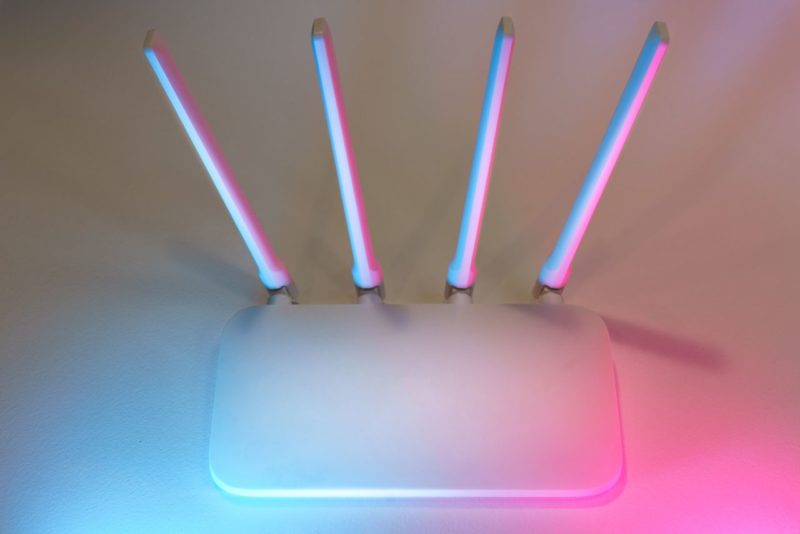
A weak Wi-Fi signal can make a large home feel strangely broken. One room streams perfectly, another struggles to load a webpage, and the upstairs office behaves as if it belongs to a different century. A Wi-Fi 7 mesh router addresses that problem by combining the Wi-Fi 7 standard, also known as 802.11be, with several coordinated access points that spread wireless coverage throughout the home.
The main router connects to your modem. Satellite nodes communicate with that router and extend the same network into distant rooms, across floors, and around difficult walls. The result is broader coverage, more capacity for connected devices, and better performance when the household is busy.
What Is a Wi-Fi 7 Mesh Router?
A Wi-Fi 7 mesh router is a multi-node home networking system designed to deliver fast wireless connections across a larger area than one router can normally cover. The primary unit handles the internet connection, while satellite nodes relay network traffic and guide devices toward the strongest available signal.
The Wi-Fi 7 standard adds features intended to improve throughput, latency, and reliability. Its benefits are most noticeable in homes with multi-gigabit internet, several high-traffic devices, or demanding uses such as cloud gaming, 4K streaming, large file transfers, and virtual reality.
Primary Router
The primary router connects to your modem through its WAN port, then manages local traffic across the home network. Look for capable hardware, multi-gigabit Ethernet ports, WPA3 security, and enough processing capacity to handle numerous simultaneous connections.
The router’s advertised speed is not the same as your internet speed. If your internet service provider delivers a 1-gigabit plan, a Wi-Fi 7 system cannot magically turn it into a 5-gigabit connection. It can, however, improve wireless efficiency and keep local traffic moving smoothly.
Satellite Nodes
Satellite nodes are additional access points placed around the home. They communicate with the primary router through a wireless or wired backhaul, then connect phones, televisions, laptops, consoles, and smart-home equipment nearby.
A good mesh system presents one network name and password, allowing devices to move between nodes through seamless roaming. You should not need to manually switch networks as you walk from the living room to an upstairs office.
Seamless Coverage
Mesh technology is especially useful in multi-story homes, long floor plans, and buildings with thick brick or concrete walls. In a 4,200-square-foot, three-level home, two or three well-positioned nodes can produce far more consistent coverage than one powerful router placed near the modem.
That result still depends on placement. Mesh cannot repeal physics.
How Does the Network Work?
Wireless Backhaul
Wireless backhaul is the connection between mesh nodes. In a tri-band system, one band may be dedicated partly to communication between nodes, preserving more usable bandwidth for client devices. Wi-Fi 7’s Multi-Link Operation can strengthen this process by allowing compatible hardware to use more than one band intelligently.
Wireless backhaul is convenient, though walls, interference, and distance can reduce its performance. A satellite hidden at the far end of a house may provide a strong signal to your phone while receiving a weak signal from the primary router.
Wired Backhaul
Wired backhaul uses Ethernet cable between nodes. It is usually the best option for maximum stability because traffic does not have to compete with ordinary wireless connections.
If your home has Ethernet wiring, use it. A wired mesh system can reserve more radio capacity for devices, improve latency, and make node placement less sensitive. Check the system’s network ports carefully, since some units include only gigabit Ethernet while others support 2.5-gigabit or faster connections.
Node Placement
Place each node where it still receives a healthy signal from the previous point, not inside the dead zone you are trying to fix. Elevated, open positions usually work better than cabinets, closets, or locations beside large appliances.
A practical approach is to begin with one node per floor, then use the manufacturer’s app to inspect signal quality. Dense walls and metal framing may require another node, while an open home may need fewer than the box suggests.
Which Wi-Fi 7 Features Matter Most?
Multi-Link Operation
Multi-Link Operation, or MLO, allows compatible devices to use multiple frequency bands at once or move traffic between them. This can improve resilience when one band becomes congested and can help maintain lower latency during busy periods. Netgear’s explanation of Wi-Fi 7 mesh describes why MLO matters for both client connections and backhaul.
320-MHz Channels
Wi-Fi 7 can use channels up to 320 MHz wide in the 6 GHz band. Wider channels create more room for data, although they require compatible devices, clean spectrum, and favorable regional regulations. In crowded neighborhoods, a narrower channel may deliver steadier results than the biggest available setting.
4K-QAM
4K-QAM packs more data into each wireless signal than earlier modulation schemes. It can raise peak throughput when a device is close to the router and signal quality is excellent. Distance, interference, and walls still reduce the practical benefit.
What Benefits Can Your Home Expect?
Higher Throughput
Close-range performance can be dramatically higher than Wi-Fi 6 or Wi-Fi 6E, particularly with Wi-Fi 7 client hardware and multi-gigabit internet. Testing summarized by Tom’s Hardware’s router benchmarks illustrates the gap between theoretical specifications and measured throughput.
Lower Latency
Gaming and video calls benefit less from headline speed than from consistent response times. MLO, improved scheduling, and stronger backhaul design can reduce sudden latency spikes when several people are streaming or uploading files.
Device Capacity
Wi-Fi 7 mesh systems are built for crowded homes: televisions, cameras, laptops, phones, consoles, sensors, speakers, and appliances all competing for airtime. The improvement is often felt as steadier performance rather than a spectacular speed-test number.
Will Your Devices Work With It?
Yes. Wi-Fi 7 mesh routers are backward compatible with Wi-Fi 6, Wi-Fi 5, and older standards. Older devices will connect using their own capabilities, while newer phones and laptops can access MLO, 320-MHz channels, and 4K-QAM when supported.
A Wi-Fi 7 router does not upgrade an older phone into a Wi-Fi 7 device. To see the major gains, check whether your laptop, smartphone, wireless adapter, and gaming equipment support 802.11be and the 6 GHz band.
How Should You Evaluate Coverage and Cost?
Coverage claims vary by building materials and regional radio rules. Reviews from Consumer Reports and WIRED’s mesh testing are useful because they emphasize measured behavior rather than packaging alone.
Evaluate these details before buying:
- Your home’s square footage, floors, walls, and likely dead zones.
- Internet tier, wired backhaul options, Ethernet port speeds, and client compatibility.
- App quality, firmware support, parental controls, QoS, and security features.
- Total system cost, including extra nodes and any recurring software charges.
For a small home with ordinary streaming needs, Wi-Fi 6E may remain the sensible choice. In a large, busy home with many high-traffic devices, Wi-Fi 7 offers useful headroom and better congestion management.
Who Should Upgrade From Wi-Fi 6E?
Upgrade when your existing mesh struggles under load, your home has persistent weak spots, or you have multi-gigabit service and compatible client devices. The difference is most apparent in large homes, demanding home offices, gaming setups, and households where many people use the network at once.
If your current Wi-Fi 6E system already covers the home reliably and your internet plan is below a gigabit, the improvement may be subtle. CNET’s mesh router comparisons reach a similar practical conclusion: specifications matter, but the right system depends heavily on the household.
FAQ
Does Wi-Fi 7 mesh improve internet speed?
It can improve wireless throughput and consistency, but your internet service plan remains the ceiling for online traffic.
Is a Wi-Fi 7 mesh router worth it?
It is worthwhile for large homes, crowded networks, compatible devices, and multi-gigabit service. Smaller homes may gain more from careful placement than from new hardware.
Do all mesh nodes need Wi-Fi 7?
No. Mixed generations can work, although matching Wi-Fi 7 nodes generally provides more consistent features and backhaul performance.
Conclusion
A Wi-Fi 7 mesh router spreads one coordinated network across multiple nodes, combining broader coverage with higher capacity and improved handling of busy wireless traffic. Its strongest case is practical rather than flashy: fewer dead zones, steadier connections, and more room for the growing population of devices inside a modern home.
Would you like to receive similar articles by email?

Paul Tomaszewski
Paul Tomaszewski is a science & tech writer as well as a programmer and entrepreneur. He is the founder and editor-in-chief of CosmoBC. He has a degree in computer science from John Abbott College, a bachelor's degree in technology from the Memorial University of Newfoundland, and completed some business and economics classes at Concordia University in Montreal. While in college he was the vice-president of the Astronomy Club. In his spare time he is an amateur astronomer and enjoys reading or watching science-fiction. You can follow him on LinkedIn and Twitter.


You May Also Like

Is Your Home to Blame for Poor Cellular Signal?

How to Improve Communication in Contested Environments