Best Practices for Managing Remote Teams Securely
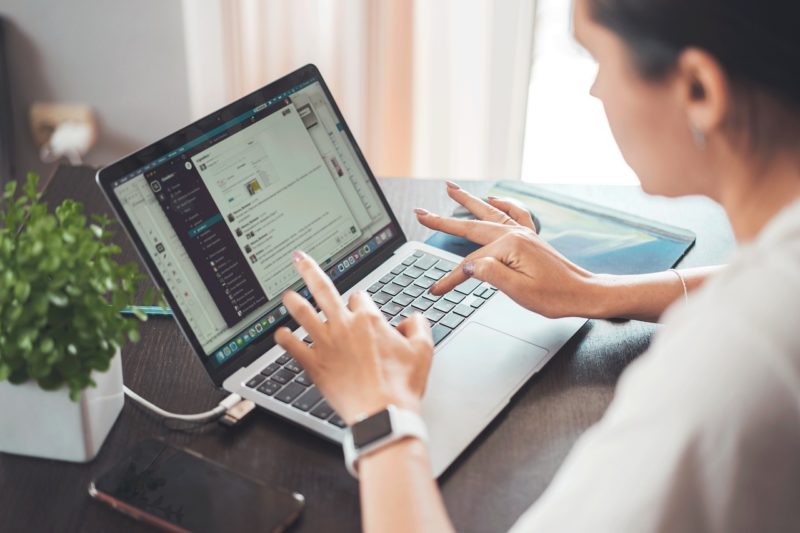
If your business has a hybrid workforce or a remote workforce, then you must understand the best practices to manage a remote team securely. There are several things that you can do. For example, you can integrate strong and secure endpoints for the devices that your remote team uses. You can also include strict policies and have them documented in the contract. In addition, this ensures all your remote employees are on the same page when it comes to security policies.
Use the Right Software
When it comes to the best practices of managing remote teams securely, one option to evaluate is using the right software. Tools like remote computer access software can not only help streamline management of user devices. They can also enhance productivity and flexibility for your remote employees. In addition, we evaluate tools by encryption standard, access-control granularity, audit logging, and cross-platform support. We do not evaluate them by sponsorship.
With solutions like ScreenConnect, you can allow your team to securely access their work systems, applications, and files from anywhere. This removes geographical barriers, improves collaboration, and creates a more connected and productive remote work environment.
Implement Security Training
Apart from using the right software, you must implement clear policies and provide your remote team with security training, so they can detect cyber threats, such as phishing. Additionally, when it comes to implementing security policies, create a comprehensive and clear guideline in the form of documentation for your remote team to follow.
With documentation, you must include all potential aspects. These include secure data handling, the use of secure networks, and efficient password management.
Integrate Secure Home Networks
Apart from educating your employees on the latest security threats, you must have them recognize their respective roles in protecting the sensitive data of the company. With that said, you must make it mandatory for all employees to use secure home networks. These networks must include strong and unique Wi-Fi passwords as well as firewalls.
Similarly, you must encourage your remote employees to use different passwords for their work-related devices and accounts and their personal devices and accounts.
Require BYOD devices to enroll in MDM (Mobile Device Management) and meet baseline compliance—OS version, encryption, screen lock—before accessing corporate resources.
Use Strong Access Control
When it comes to the best practices for managing remote teams securely, you must integrate strong access control and authentication processes grounded in a Zero Trust architecture—never trust, always verify—enforcing least-privilege access and continuous validation. For instance, strong authentication incorporates MFA, which stands for multi-factor authentication. Make sure to integrate an MFA for all business-related resources as a way to ensure that only authorized employees can access specific systems.
The implementation of solid and point security is another aspect of integrating strong access control. This is why your best bet is to use endpoint security solutions with EDR (Endpoint Detection & Response) capabilities on all potential devices used by your remote teams. These devices include their smartphones and laptops.
Only Use Secure Communication Channels
Understandably, effective communication is a crucial aspect of remote teams, which is why you must only use secure communication channels for your business operations. This means that you must use channels that utilize encryption to protect all information exchanged within the team.
For messaging, use Signal, Wire, or Element (Matrix). Meanwhile, for web apps enforce TLS 1.3. For VPN tunnels use WireGuard. Similarly, integrate secure device encryption by making sure that your employees’ personal and company-issued devices have encrypted hard drives. This will protect sensitive data in case the device is stolen or lost. On Windows use BitLocker. On macOS use FileVault. Finally, on Linux use LUKS.
Other Remote-Access Tools Worth Evaluating
- TeamViewer—mature feature set, broad platform support, higher cost
- Splashtop—strong performance, good value for SMBs
- AnyDesk—lightweight, low latency, free for personal use
- RustDesk—open-source, self-hostable, emerging alternative
Would you like to receive similar articles by email?

Paul Tomaszewski
Paul Tomaszewski is a science & tech writer as well as a programmer and entrepreneur. He is the founder and editor-in-chief of CosmoBC. He has a degree in computer science from John Abbott College, a bachelor's degree in technology from the Memorial University of Newfoundland, and completed some business and economics classes at Concordia University in Montreal. While in college he was the vice-president of the Astronomy Club. In his spare time he is an amateur astronomer and enjoys reading or watching science-fiction. You can follow him on LinkedIn and Twitter.


You May Also Like
The Most Secure Places to Install a Safe at Home
5 Best Cybersecurity Solutions for SMBs in the Tristate Area