How to Setup a Server Rack
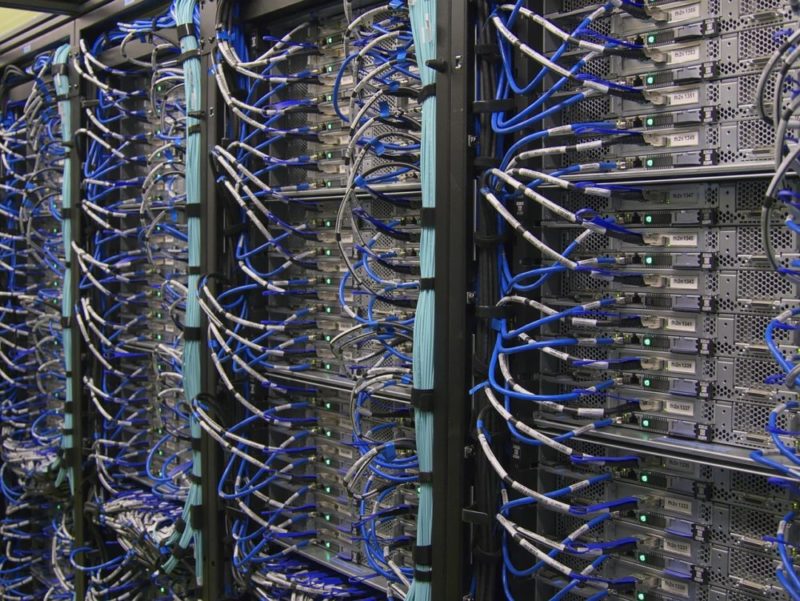
The management of your company data depends on various factors, and all of them point to the security of the data. The storage of the physical components such as servers, switches, storage devices, and related peripherals requires careful planning, and that is taken care of by the server rack.
You however need to understand how to setup your server rack to ensure that everything will be alright for the smooth operations of your company. You don’t want to be interrupted on a busy day by a switch that gets loose hence interrupting your network connectivity. Setting up your server rack is simple if you can follow the guidance of the following simple tips.
Security Of The Data
The server itself enables you to secure your company’s data by keeping it in one location where it can be managed by the entitled person in that company. The location where you keep that server is another security measure that ensures only authorized people will get access to the physical server. You therefore should identify a room that is not frequented by the rest of the team members in your company.
You may also consider server racks with built-in biometric locks or surveillance cameras, which offer additional physical security. Environmental sensors that monitor humidity, temperature, and tampering are now widely available and easy to integrate.
Modern server environments may also benefit from access logging systems, lockable side panels, and clean-agent fire suppression systems that protect equipment without damaging electronics. Businesses operating in regulated industries may also need to consider compliance standards such as PCI-DSS, HIPAA, or SOC 2 requirements.
The Neatness Of The Server Location
The inside of a server room will also be a workspace for your IT technician or manager at the time of updating, maintaining or configuring the server. In that case, you should setup the server rack at a strategic location where it will be easy to access and work on. The room should have enough space for movement while initially installing the server rack and later the fixing of the components and devices that make up a complete server room.
Make sure the rack leaves sufficient clearance at both front and back for ventilation, wiring, and servicing. Some setups also benefit from raised floors for cable routing and airflow management.
Modern server rooms may also use overhead cable trays, anti-static flooring, dust control systems, and dedicated airflow pathways to improve maintenance and cooling efficiency. In some commercial installations, racks may also require seismic anchoring for additional stability and safety.
Ventilation And Cooling
The server rack itself is made up of strong steel or aluminum panels with standard provisions for fastening switches, routers and surge protectors. The devices are well-spaced to ensure free flow of air that they all require for cooling. Equipment placement within the rack should be planned according to weight, airflow, and cable management requirements with enough space for air circulation too.
In addition to natural ventilation, consider using cooling strategies like hot/cold aisle containment or rack-mounted cooling units for improved efficiency. This is particularly helpful in high-density or always-on environments.
Modern server equipment is usually designed for front-to-back airflow, so proper spacing and cable organization are important to avoid restricting ventilation. Blanking panels can also help improve cooling efficiency by preventing hot air recirculation inside partially filled racks.
Get The Right Server Rack
Every business administration will want to purchase top quality items and you therefore will need the server rack that will give you the peace of mind knowing that your expensive equipment is held safely in place in your server room.
Depending on the size of your room, you can opt for either a standalone rack or a wall-mounted one. In both choices also, you will also need to factor in the equipment you want to go into the rack, and their sizes too. With that information you can purchase just the right server rack that your business needs.
Modern options include open-frame racks, enclosed racks with built-in fans, and even smart racks that allow remote environmental monitoring and security tracking. Choose one that fits your space and operational needs.
You should also consider the rack height measured in rack units (U), rack depth compatibility, load capacity, and the standard 19-inch rack width used by most enterprise hardware. Some businesses may also prefer modular or edge-computing rack solutions that can scale as their infrastructure grows.
Consider The Cost
A costly server rack doesn’t mean that you have gotten what you needed. An office equipment like a rack is bought to serve its purpose not to show the size or status of a company. In that case, simply budget for a rack which will give you just the service that you are looking for, with durability that you can count on.
However, be aware that higher-priced racks may include features such as integrated cable management, better airflow design, or secure access systems. These may justify the investment depending on your setup.
It is also wise to consider future scalability, maintenance costs, energy efficiency, and cooling requirements before making a purchase decision. A rack that supports future expansion may save money over time.
Get The Right PDU
Power distribution to the devices that you will fix in your server rack after setup is very important. That is why you need to get the right Power Distribution Unit (PDU) so that all the devices can get the right power that they need, and be safe in situations of a power surge.
You may want to invest in intelligent (smart) PDUs which allow you to remotely monitor power consumption, control outlets individually, and send alerts during outages. Also consider using dual PDUs with separate circuits for redundancy.
Don’t forget to include an Uninterruptible Power Supply (UPS) system to protect your equipment and keep it running during brief power outages. Modern installations may also use monitored or switched PDUs, automatic transfer switches (ATS), and A/B power feeds for additional redundancy and uptime protection.
The Labeling Technique
Office bearers come and go, and so are IT technicians. While installing the server rack for the first time therefore, you should have the persons who will succeed you in mind. Make their job easier by labeling the cables that you terminate into the server rack, so that at the time of doing their maintenance they won’t have to do tiring tests to identify cables.
It also makes your troubleshooting and maintenance jobs easy in the event that your network collapses and you need it up within the shortest time possible, which is always the case for the continuity of operations.
Organize your server room too by running cables in their respective conduits. Cable-ties will also help you to organize the bunches of the cables terminating into the server rack, before they individually end into their respective devices and ports.
You can go further by using color-coded patch panels, cable trays, and management arms to improve airflow and serviceability. Software-based labeling systems or QR codes can also streamline future maintenance.
Also consider remote access tools like KVM over IP and remote management interfaces, which help technicians troubleshoot or monitor systems without being physically present—ideal for modern hybrid work environments.
Many businesses now also maintain digital rack elevation diagrams, asset tracking systems, and DCIM (Data Center Infrastructure Management) software to improve documentation and infrastructure monitoring.
Conclusion
Setting up a well-organized and secure server rack is essential for efficient data management and smooth network operations. By considering factors such as security, ventilation, the right equipment, and proper labeling, you can ensure a reliable and effective server room that supports your business’s needs. Careful planning for cooling, power redundancy, scalability, and cable management will also help improve long-term reliability and simplify future maintenance or expansion.
FAQ
What type of rack installation options are available?
Rack installation options include floor-standing racks, wall-mounted racks, cabinet racks, open frame racks, two-post racks, four-post racks, enclosed racks, portable racks, and customized rack solutions. Today, many businesses also choose smart racks with remote monitoring, integrated cooling, or modular designs.
Why are server rack rails so expensive?
Server rack rails are expensive due to high-quality materials, manufacturing complexity, specialized features, brand reputation, niche market, and additional support services. Some rails also support tool-less installation, adjustable sizing, or enhanced load capacity, which adds to the cost.
How to mount server in rack without rails?
Use a properly rated fixed shelf, cantilever shelf, or universal rack shelf designed to support the weight of the server. Ensure the weight is evenly distributed and the shelf is rated to support the server’s weight.
Would you like to receive similar articles by email?

Paul Tomaszewski
Paul Tomaszewski is a science & tech writer as well as a programmer and entrepreneur. He is the founder and editor-in-chief of CosmoBC. He has a degree in computer science from John Abbott College, a bachelor's degree in technology from the Memorial University of Newfoundland, and completed some business and economics classes at Concordia University in Montreal. While in college he was the vice-president of the Astronomy Club. In his spare time he is an amateur astronomer and enjoys reading or watching science-fiction. You can follow him on LinkedIn and Twitter.


You May Also Like

Ranking The Best Mapping Software by Features

Time-Lost Proto-Drake Is Back and Storm Peaks Have Never Been This Crowded