What Are Servers & How Do They Work?
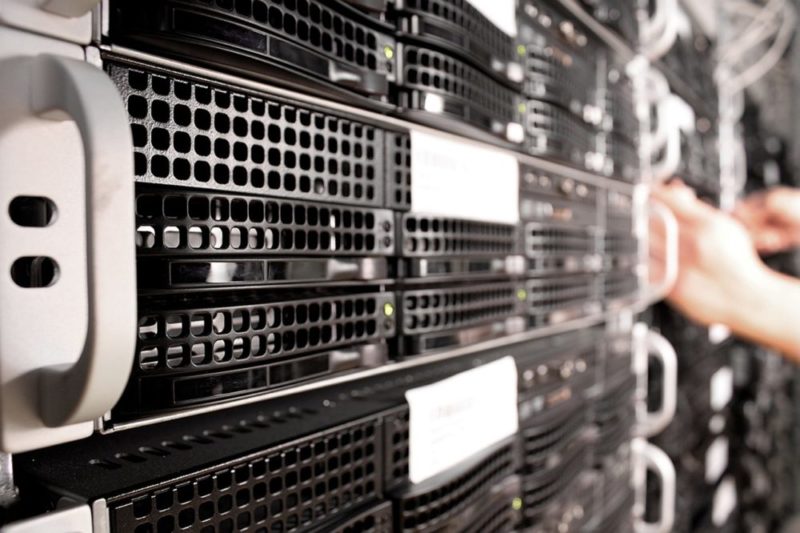
When you visit a website, stream a video, or send an email, servers are working behind the scenes to handle those requests. Understanding how servers work can help you make sense of the infrastructure that powers the internet. In addition, servers power many everyday technologies. This article explores what servers are and what they do. Furthermore, it covers the different roles they play in both business and home networks.
Understanding How Servers Work
- Servers are systems designed to provide data, services, resources, or applications to other devices or users over a network. In some cases, regular computers can be converted into a server, although most servers don’t utilize a keyboard or screen, the way an ordinary desktop would.
- Most businesses use servers to manage applications, store data, share resources, or support communication between devices and users, so everybody in the workplace has access to the resources and services from their own desktop. The server can be connected to a Local area network (LAN), which is hard-wired, or accessed remotely across a Wide Area Network (WAN) such as the internet.
- For most business applications, the term server refers to a type of computer. Unlike a standard personal computer, most servers do not have a screen, keyboard or mouse.
- Rather, the server comes equipped with a powerful processor, fast RAM and high-performance storage such as SSDs or enterprise drives, and additionally a network interface. Many servers also use redundancy features such as RAID storage, backup systems, and redundant power supplies for reliability. The blend of fast storage, RAM and powerful processors enables a server to offer essentially higher processing power and performance than desktops systems.
- Cloud-based servers and virtual machines are also common today, often hosted by providers like AWS, Microsoft Azure, or Google Cloud, offering scalable computing without physical hardware on-site.
Functions
To understand how servers work, it helps to look at the range of functions they perform—from data storage and printer management to providing database services. Many business organizations frequently keep up individual servers devoted to one task, for example, email. Servers provide a safe and centralized method of data storage. The less intense information management needs of smaller businesses organizations allow them to use one server. That server then provides a combination of available functions.
Different Types of Servers
A server computer can be set up to perform several different tasks. A mail server is specifically designed as a central location for all email handled through a network. Whereas a web server contains the greater part of the files and documents that are important to display any site. Additionally, it deals with any interactivity through a web browser.
Data servers contain documents that individuals need to share through a network. Basically, these servers are storage for various files and documents. They should be accessed by multiple devices on the network.
DNS servers, authentication servers, and proxy servers are also commonly used to manage networking, access control, and internet traffic. These servers support business applications or personal use. For example, they can help with video streaming.
Servers on Home Networks
Servers can be helpful for home use and also for business. A home network could use a server to reduce storage demands across family devices and computers. In addition, it gives access to shared files. It also allows access to printers, scanners, or other peripheral gadgets that maybe utilized by more than one individual.
Home servers can sometimes support network infrastructure, but most homes today use dedicated routers or mesh Wi-Fi systems. Modern day devices, similar to refrigerators and lighting networks, can likewise be connected to a server. That will enable members to control the appliances remotely. Many smart appliances and Internet of Things (IoT) devices now rely on cloud services. Rather than local servers, they provide remote access and automation.
Since a server can be created using any PC, it isn’t troublesome for a family to make a server from an obsolete PC that has been replaced. However, most households today rely on cloud storage solutions like Google Drive or iCloud, rather than managing a physical home server. Though some advanced users still use home servers or network-attached storage (NAS) devices for media streaming, backups, and smart home automation.
Client-Server Model
Many servers operate on the client-server model. This implies the computers connected to the server are clients and the server houses the data and software those clients need to use for their processing. Furthermore, a centralized server can fill in as the entryway to the web for a few computers that are directed to that server.
Generally, the server gives a digital pathway to every client to get to the web or utilize a unified software. This client-server model enables business organizations or home users to share software, applications, or resources. These are shared across multiple devices on a network.
Today, many software companies provide subscription-based licensing (Software as a Service or SaaS). This model allows multiple users access through cloud-based servers. Running software on a remote server enables every workstation to keep up its own processing speed and memory storage. It does so independently from the demand of the software. In many modern networks, servers are virtualized. This allows multiple server environments to run on the same hardware. Moreover, container platforms like Docker and orchestration tools like Kubernetes help deploy and manage applications efficiently at scale.
Conclusion
Servers are a foundational part of modern computing. From managing data and devices to hosting websites and applications, they support everything from personal networks to large-scale enterprise systems. By understanding how servers work, you gain insight into the systems that keep our digital world connected. In addition, you see why they are running efficiently, secure, and reliable.
Would you like to receive similar articles by email?

Paul Tomaszewski
Paul Tomaszewski is a science & tech writer as well as a programmer and entrepreneur. He is the founder and editor-in-chief of CosmoBC. He has a degree in computer science from John Abbott College, a bachelor's degree in technology from the Memorial University of Newfoundland, and completed some business and economics classes at Concordia University in Montreal. While in college he was the vice-president of the Astronomy Club. In his spare time he is an amateur astronomer and enjoys reading or watching science-fiction. You can follow him on LinkedIn and Twitter.


You May Also Like

The Evolution of Streaming Services: What to Expect in 2026
How to Recover MariaDB Database after Binary Log Corruption?