
Best Ways to Use Google Nano Banana 3 for Marketing Visuals
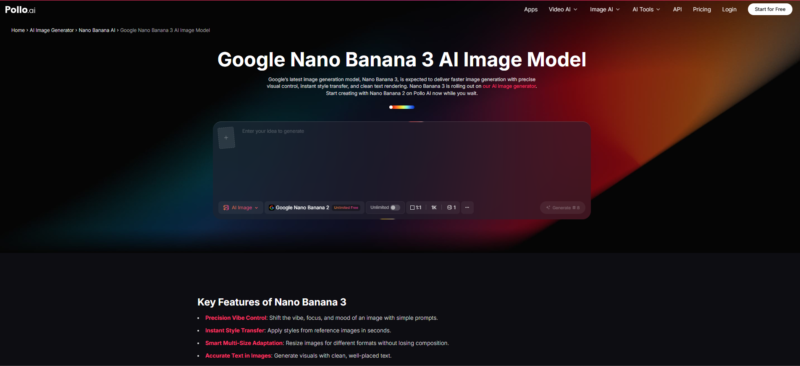
Most AI image generators can produce something visually impressive. The real challenge—and the one that blocks most marketing teams—is producing images that are also useful. Here, useful means branded, text-readable, share-ready, and consistent enough to drop into a campaign without a full redesign pass. That’s a much narrower target. In fact, it’s exactly where Google Nano Banana 3 is starting to make a genuine difference.
If you’ve been watching this space, you’ve likely noticed that content teams are no longer just asking “can the AI generate a good-looking image?” Instead, they’re asking whether the output saves them time, fits within a brand system, and holds up under real publishing conditions. Pollo AI has been a go-to destination for creators who want to test these newer generation capabilities quickly. You do not need developer access or a complex API setup.
This article walks through the best ways to put Google Nano Banana 3 to work specifically for marketing visuals. The focus is on the features that actually move the needle for teams creating content at scale.
Why Google Nano Banana 3 Stands Out for Marketing Visuals
The model behind Nano Banana 3 (part of the Gemini 3 image generation family) brings three specific strengths that matter for marketers:
Readable, multi-language text inside the image. According to Google’s official announcement, Nano Banana Pro can add “swaths of legible text” to generated images—something reviewers at CNET called an “industry first.” For marketing teams producing social creatives, product explainers, or localized campaigns, this eliminates a step. Usually, that step requires a separate design tool.
Stronger brand consistency across outputs. The model is designed for higher control over composition, style, and visual identity. So, a campaign that needs ten variations of the same visual concept is more achievable without everything drifting into mismatched aesthetics.
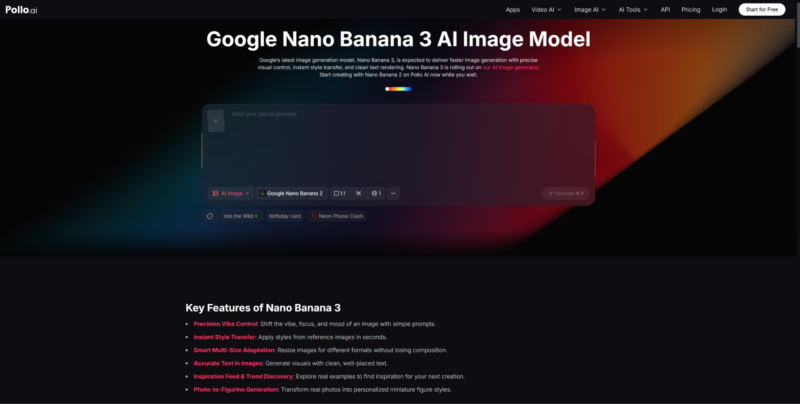
High fidelity up to 4K, with SynthID watermarking. Outputs are suitable for print-quality assets and regulated publishing environments where content provenance matters. Pollo AI’s Google Nano Banana 3 interface makes all three of these capabilities available without API credentials or technical setup. This is what makes it practical for marketing teams, not just developers.
These aren’t theoretical use cases—they’re exactly the kind of capabilities marketing teams have been waiting for from an AI image model that doesn’t require heavy post-processing to be usable.
Best Way #1: Use the Model for Visuals That Actually Need Text Inside the Image
The single biggest unlock here is text rendering. Previous AI image models treated text as an afterthought—you’d generate the image, then layer copy on top in a design tool. However, Nano Banana 3 changes that equation.
Product Explainers
When a product visual needs a callout, a spec label, or a key benefit line directly inside the frame, you no longer need to export to Photoshop or Canva as the default next step. The model can generate that callout legibly, in the right visual hierarchy, and at a resolution that holds up across formats.
Infographics and Diagrams
Google’s developer documentation highlights that Nano Banana Pro is built for use cases like turning “notes into diagrams” and “ideas into infographics.” For a marketing team that needs a quick visual breakdown of a process, a comparison chart, or a feature matrix, this is meaningfully faster than briefing a designer from scratch.
Social Creatives With Readable Copy
Social content that performs well usually has a clear, readable value proposition in the image itself—not just in the caption. With Nano Banana 3, you can generate that copy-forward image as part of the first pass. This compresses the review cycle considerably.
Best Way #2: Use Pollo AI to Make Experimentation Easier
There’s a real gap between knowing what a model can do and actually testing it efficiently. Developer APIs are great for production pipelines. However, they add friction for marketers and content leads who need to move fast through concept stages.
Faster Concept Testing for Marketers
Pollo AI offers a streamlined interface for working with models like Nano Banana 3 without the overhead of API credentials, environment setup, or rate limit management. For a content team trying five different visual directions for a campaign, that kind of friction reduction is worth a lot.
Better Workflow for Non-Design Teams
Not everyone generating marketing visuals has a design background. Pollo AI’s approach prioritizes the experience for non-technical users—the same users who are most likely to be the ones responsible for producing social content, email headers, or event assets at pace. Giving those users direct access to a high-capability model without a steep learning curve is what makes the workflow sustainable. It is not just impressive on the first try.
Best Way #3: Extend Static Visuals Into Simple Animated Assets When Needed
Not every visual needs to move. But sometimes a static image that did its job in a blog post needs to become a brief animated asset for a social story or a short explainer clip. That’s where the conversation shifts from image generation to lightweight motion.
Where Animaker-Style Workflows Fit
Tools like Animaker are commonly used to add basic motion, voiceover, or character-led narration to marketing visuals. If you’ve already generated a strong static asset with Nano Banana 3, converting it to a light animation or adding a text-driven narration overlay is a logical next step for platforms that reward video content. The key is to do this only when the motion adds meaning—not just because you technically can.
Don’t Animate Everything—Only What Improves Understanding
A common mistake content teams make is treating animation as an automatic upgrade. For most marketing use cases, a sharp, text-rich static image with a clear hierarchy will outperform a mediocre animation. Use the model’s high-fidelity image output as your primary deliverable. Then, add motion only where the distribution channel or the message genuinely benefits from it.
Best Way #4: Stay Realistic About Quality, Accuracy, and Trust
CNET’s review of Nano Banana Pro noted that while the realism and detail quality is strong, it also raises real questions about content trustworthiness and misuse potential. For marketing teams, this is practical advice, not just a legal disclaimer.
Review every factual claim in any AI-generated infographic. A diagram that confidently displays an incorrect statistic can damage brand trust far more than a slightly imperfect visual.
Check readability across devices and at multiple sizes. Text-inside-image content needs to pass a real-world rendering test. You should not just look right in the preview window at full resolution.
Use SynthID-watermarked outputs where transparency matters. In regulated industries or any context where content provenance is a stakeholder concern, the embedded watermarking that comes with Nano Banana outputs is a genuine advantage.
Final Takeaway for Content Teams
The marketing value of Google Nano Banana 3 isn’t in generating one striking hero image. Instead, it’s in consistently producing visuals that are brand-aligned, text-readable, and ready to deploy across multiple formats without a full design review cycle after every generation.
For teams who want to reach that kind of output quality without adding friction to their workflow, Pollo AI is one of the cleaner paths to testing and iterating with the model. The goal isn’t to replace your creative process—it’s to compress the distance between your idea and a publishable asset.
Start with the use cases where text readability and brand consistency matter most. Build your prompt patterns around those. And treat the animated extension as an optional layer, not a default one.
Would you like to receive similar articles by email?

Paul Tomaszewski
Paul Tomaszewski is a science & tech writer as well as a programmer and entrepreneur. He is the founder and editor-in-chief of CosmoBC. He has a degree in computer science from John Abbott College, a bachelor's degree in technology from the Memorial University of Newfoundland, and completed some business and economics classes at Concordia University in Montreal. While in college he was the vice-president of the Astronomy Club. In his spare time he is an amateur astronomer and enjoys reading or watching science-fiction. You can follow him on LinkedIn and Twitter.




One Comment
S.A.
This is a really interesting point about the difference between visually impressive and *useful* marketing visuals. I’m particularly curious about how Nano Banana 3 addresses the challenge of creating text-readable images that don’t require a full redesign for each campaign.