Figma to WordPress: Tips for Long-Term Website Maintenance
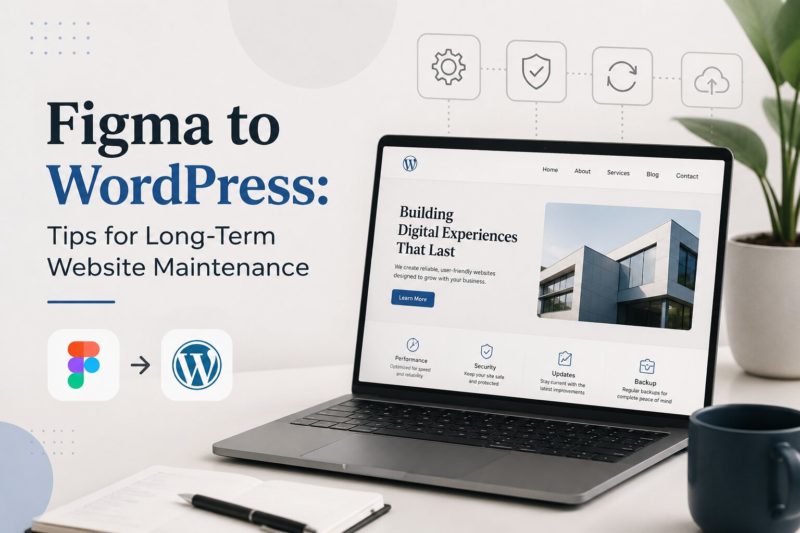
Are you looking for tips to keep your website maintained and provide you with conversion? Then these WordPress long-term maintenance hacks will save your long-term efforts, the best guide for you. Here you will get vital tips to convert your website from Figma to WordPress and maintain the long-term performance of your WordPress website. This way, you will get professional looks, better performance, top ranking on search engines, and create a smoother experience for customers.
So start from scratch, where you plan to create a long-term maintenance plan for your WordPress website.
1. Website Maintenance Starts During the Design Phase
Long-term maintenance is not something businesses should think about after launch. When working on Figma to WordPress projects, businesses should ensure:
- The design structure is scalable
- Components are reusable
- Navigation remains simple
- Layouts are mobile-friendly
- Future content expansion is possible
2. Maintain the Organized Website Structure
A clean website structure makes long-term maintenance much easier. After you convert Figma to WordPress, organize:
- Pages properly
- Media files systematically
- Theme settings carefully
- Plugins efficiently
- User roles securely
Messy website architecture creates problems later during:
- Updates
- SEO optimization
- Performance improvements
- Feature additions
- Security monitoring
A well-structured website saves both time and maintenance costs in the long run.
3. Choose Lightweight Themes and Plugins
One of the biggest reasons WordPress websites become slow over time is plugin overload. Businesses often install unnecessary plugins that:
- Slow website speed
- Create security vulnerabilities
- Cause compatibility conflicts
- Increase maintenance complexity
During Figma to WordPress development, it’s important to use:
- Lightweight themes
- Reliable plugins
- Trusted integrations
- Performance-optimized tools
A clean and optimized setup makes future website management much smoother.
4. Regular Website Backups Are Essential
Imagine losing years of website content, customer inquiries, or business data because of a technical issue. That’s why automated backups are critical.
Businesses should schedule:
- Daily backups for active websites
- Weekly backups for smaller websites
- Cloud storage backups
- Database backups
- Media file backups
Backups act like business insurance for your website.
5. Keep WordPress Core, Themes, and Plugins Updated
Website updates are not optional maintenance tasks anymore. Outdated software creates:
- Security vulnerabilities
- Compatibility issues
- Slow performance
- Broken functionality
Regular updates improve:
- Security protection
- Website speed
- Stability
- Compatibility with modern browsers
6. Focus on Website Speed Optimization
A beautiful website means very little if it loads slowly. After businesses convert Figma to WordPress, ongoing performance optimization becomes extremely important.
Long-term speed maintenance includes:
- Image optimization
- Cache management
- Database cleanup
- Script optimization
- Hosting performance monitoring
- CDN integration
Fast-loading websites improve:
- Customer experience
- Search rankings
- Conversion rates
- Mobile usability
Website speed directly impacts business growth in today’s competitive digital environment.
7. Maintain Mobile Responsiveness Continuously
User behavior changes constantly. This shift would be new screen sizes or sometimes others browsers. That’s why businesses should continuously test:
- Mobile layouts
- Tablet responsiveness
- Navigation usability
- Touch interactions
- Content readability
8. Preserve Design Consistency During Future Updates
One major advantage of using Figma is visual consistency. However, over time, many businesses unintentionally damage their website design by:
- Adding inconsistent pages
- Using random fonts
- Uploading poorly optimized images
- Changing layouts without a strategy
Businesses should maintain:
- Consistent branding
- Unified color systems
- Standard typography
- Structured spacing
- Organized design components
This helps the website remain professional even after years of updates and content expansion.
9. SEO Maintenance Is an Ongoing Process
Search engine optimization doesn’t stop after website launch. But it’s an ongoing process that makes your website visible. To maintain your WordPress website’s SEO, you have to:
- Updating content regularly
- Monitoring broken links
- Optimizing images
- Improving page speed
- Managing redirects
- Updating metadata
So, no matter whether you start with Figma to PSD or any other workflow, SEO maintenance is essential.
10. Security Monitoring Should Never Be Ignored
Cybersecurity risks continue evolving every year.
Businesses should regularly:
- Scan for malware
- Monitor suspicious activity
- Use strong authentication
- Install SSL certificates
- Restrict admin access
- Monitor login attempts
A neglected website becomes an easy target for attacks.
Strong security practices protect:
- Customer data
- Business credibility
- Search rankings
- Website uptime
Security maintenance is one of the most important parts of WordPress website management.
11. Document Everything for Future Scalability
As businesses grow, websites often involve:
- Multiple developers
- Marketing teams
- SEO specialists
- Content managers
Proper documentation helps future teams manage the website more efficiently. Businesses should document:
- Plugin usage
- Theme customizations
- Design systems
- Development workflows
- Hosting configurations
- API integrations
This becomes especially helpful for large websites created through complex XD to WordPress conversion or custom development processes.
12. Plan for Future Feature Expansion
A website should support future business growth. During the original Figma to WordPress development process, businesses should think about:
- Future integrations
- eCommerce expansion
- Customer portals
- AI tools
- Marketing automation
- Multi-language support
Future-ready planning reduces redevelopment costs later. The best websites are not just built for today’s requirements, they are designed for tomorrow’s opportunities.
Final Thoughts
Maintaining the WordPress website doesn’t start after launching your website. But it starts from the day you initiate the process of designing a wireframe for your website. Unlike your project workflow, such as Figma to WordPress, XD to WordPress conversion, or even early-stage Figma to PSD workflows, the maintenance process remains similar. Businesses that invest in continuous website care often experience better customer engagement and higher search visibility.
Would you like to receive similar articles by email?

Paul Tomaszewski
Paul Tomaszewski is a science & tech writer as well as a programmer and entrepreneur. He is the founder and editor-in-chief of CosmoBC. He has a degree in computer science from John Abbott College, a bachelor's degree in technology from the Memorial University of Newfoundland, and completed some business and economics classes at Concordia University in Montreal. While in college he was the vice-president of the Astronomy Club. In his spare time he is an amateur astronomer and enjoys reading or watching science-fiction. You can follow him on LinkedIn and Twitter.


You May Also Like

Custom Software Development in Los Angeles for Growing Businesses
What is Network-Attached Storage (NAS)? A Comprehensive Guide